 Hue Plan 휴플랜
Plan vs Actual Time Tracking: How to Review Your Day
You planned the day carefully, yet by evening you wonder where the hours went. The problem is rarely the plan itself. It is that nobody looks at the gap between the plan and what actually happened. This guide covers how to track where your time goes, which kind of time audit app fits you, a simple review routine, and how to read the numbers.
Why a plan alone is not enough: the planning fallacy
People consistently underestimate how long their own tasks will take. Psychologists Daniel Kahneman and Amos Tversky called this the planning fallacy. In one well-known study, students estimated they would finish their senior thesis in about 34 days on average. It actually took about 56 days, and fewer than half finished within their own estimate. The striking part is that people know similar projects ran late before, yet still believe this time will be different.
The same thing happens at the scale of a single day. You block one hour for a report draft, it takes an hour and forty minutes, and every block after it slides. By evening you feel like you finished half your plan, but you cannot say where the time leaked.
That is why planning is only half the job. When you also record the time you actually spent, you build personal correction factors like "writing always takes me 1.5x what I plan." Plan vs actual time tracking is not about watching yourself. It is about collecting data so the next plan matches reality.
Two ways to track: a time tracker vs logging inside your planner
There are two common ways to record actual time. The first is a dedicated time tracking app. You start a timer when you begin a task and stop it when you finish. It is accurate to the minute and works well for freelancers who bill by the hour. The downside is that it is easy to forget the timer, and your plan lives in a different app, so comparing the two takes extra work.
The second is logging actual time inside your planner when you mark a block done. The planned block already exists, so you only enter the difference: planned 10:00 to 11:00, actual 10:15 to 11:40. You lose a little precision, but plan and actual sit in the same view and the same data, so the comparison is instant. For reviewing your day, that level of detail is almost always enough.
The rule of thumb is simple. If you bill clients or need exact totals per project, use a time tracker. If you want to know how realistic your plans are, log inside your planner. If you have never kept a time log before, pick whichever needs fewer steps, because the method you keep using beats the precise one you abandon. When comparing time audit apps, check how many taps a log entry takes and whether plan and actual appear on one screen.
A 5-minute daily and 20-minute weekly review
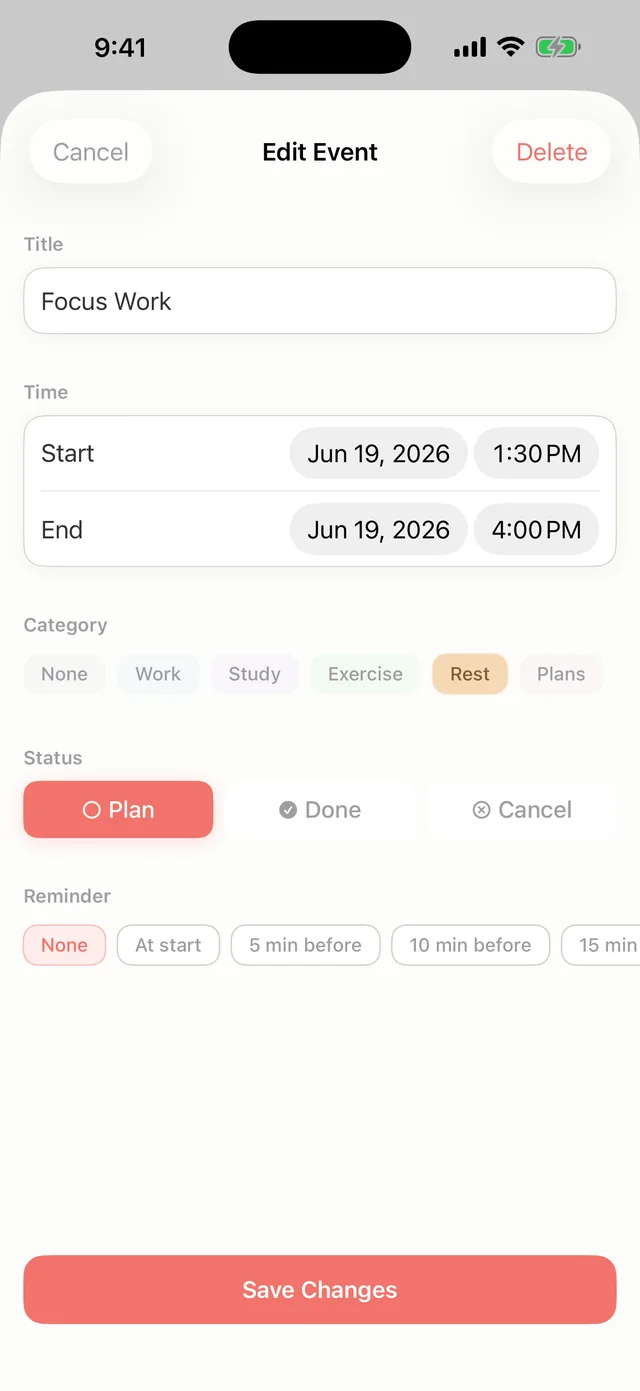
A daily review takes five minutes at the end of the workday or before bed. 1) Mark the blocks you finished and correct the actual time where it differed. 2) Pick one block that was off by 30 minutes or more and write one line about why, for example "started late because I checked email first." 3) Adjust one block in tomorrow's plan based on that reason. Keeping it to three steps is what makes the habit last.
A weekly review takes about 20 minutes on Sunday evening or Monday morning. Look at only three things: the week's completion rate, planned vs actual hours per category, and the day that drifted most. Say you planned 10 hours of study and actually did 6. Decide whether to plan 4 fewer hours or to move study blocks to a time of day with fewer interruptions.
The key is to leave each review with a single decision. You may spot five problems, but you can realistically fix one per week. One fix a week adds up, and after a month your plans will look noticeably more realistic.
How to read your time stats
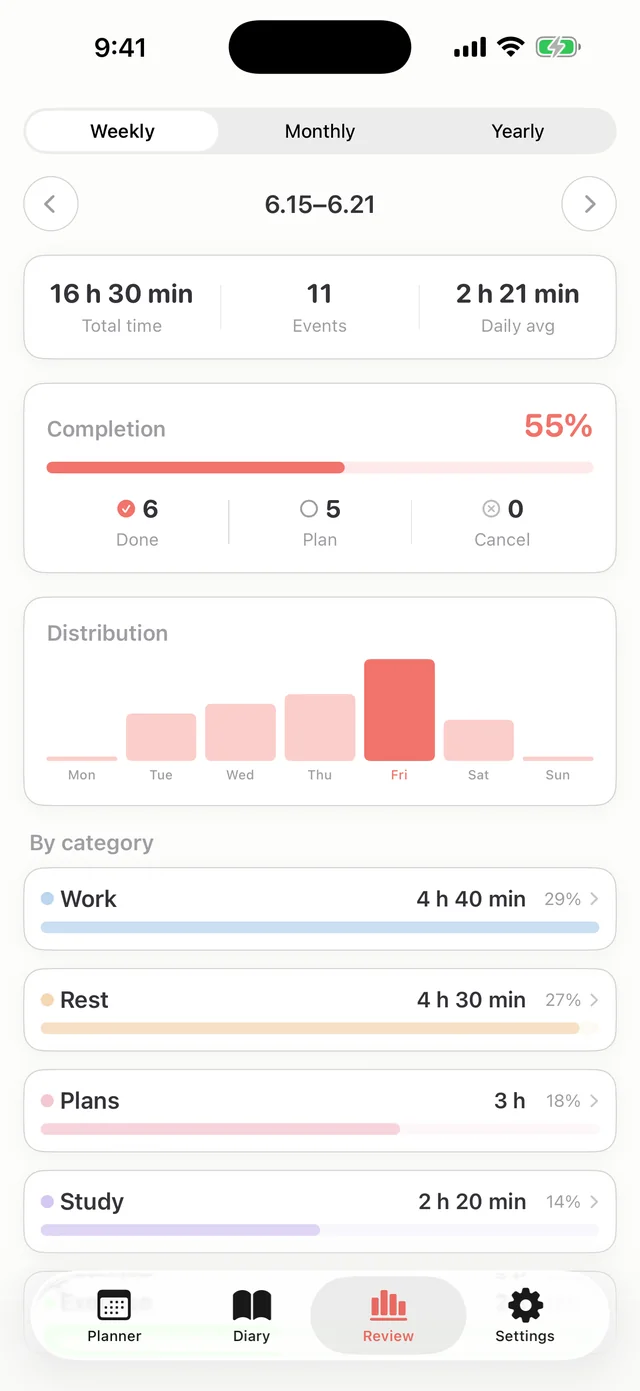
Completion rate is the share of planned items you marked done. If you aim for 100% every day, you will start planning less on purpose, so a healthy range is roughly 70 to 85%. If you sit below 50% week after week, the plan is probably too big, not your willpower too small.
Execution rate, or plan vs actual, is the share of planned time you actually spent on that work. 120% means tasks ran long. 60% means you started late, got cut off, or skipped them. Two days can both land at 100% for very different reasons. One day went to plan, while on the other one block overran and another was skipped, and they happened to cancel out. That is why the per-category difference matters more than the overall number.
Time distribution and category share show where your time really goes. A common pattern is work growing beyond plan while exercise and rest shrink. Look at the direction of the gap for each category. A category that always runs over needs bigger estimates. A category that always falls short needs a different time slot or a smaller block. Daily numbers swing a lot, so make decisions on at least a week of data.
Fixing underestimation and common mistakes
The most practical fix for underestimating is a multiplier per category. After two weeks of logs, you will see patterns like "writing takes 1.4x the plan, meeting prep 1.2x, workouts about as planned." Next time, stretch those blocks by the multiplier or add a 15 to 30 minute buffer after them. If your pattern is starting late rather than running long, schedule a short transition slot before the block instead of making the block longer.
The most common mistake is trying to track everything and quitting within a week. If you log bathroom breaks, chat replies, and five-minute calls, tracking becomes a job of its own. For the first two weeks, only correct the actual time of blocks you already planned. Add unplanned work only when it took 30 minutes or more.
Other mistakes include leaving bad days out of the log, even though they teach you the most. Beating yourself up over the numbers is another, and so is logging without ever reviewing. The log exists for the review, and the review exists to fix the next plan. Break that chain and even perfectly accurate data is useless.
Plan vs Actual and Review in Hue Plan
Hue Plan is a time blocking planner where you paint your day with pastel blocks. Starting with version 1.2.0, you can record the time you actually spent when you mark an event done. The actual span appears as a dotted overlay on the grid, so you can see how far reality drifted from the plan right in the day view.
The Review screen, a Premium feature, shows completion rate, time distribution, and category share by week, month, or year. Its Plan vs Actual card shows your execution rate and the difference for each category. That makes it a natural place to run the weekly review described above.
There is no login and no server. Your data stays on your device and, if you turn it on, in your own iCloud. Hue Plan is free to start, and Premium features, including Review, unlock with a one-time purchase of $2.99 rather than a subscription.
FAQ
Does time tracking need to be accurate to the minute? +
How long should I track plan vs actual before patterns show up? +
What should I do if my completion rate stays low? +
How do I record actual time in Hue Plan? +
 Free to start · Premium one-time purchase